A self-hosted digital vehicle logbook: record trips on your phone in seconds, get monthly and yearly reports, export CSV and PDF, and find out whether the 1% rule or a logbook saves you more tax. No cloud, no subscription.

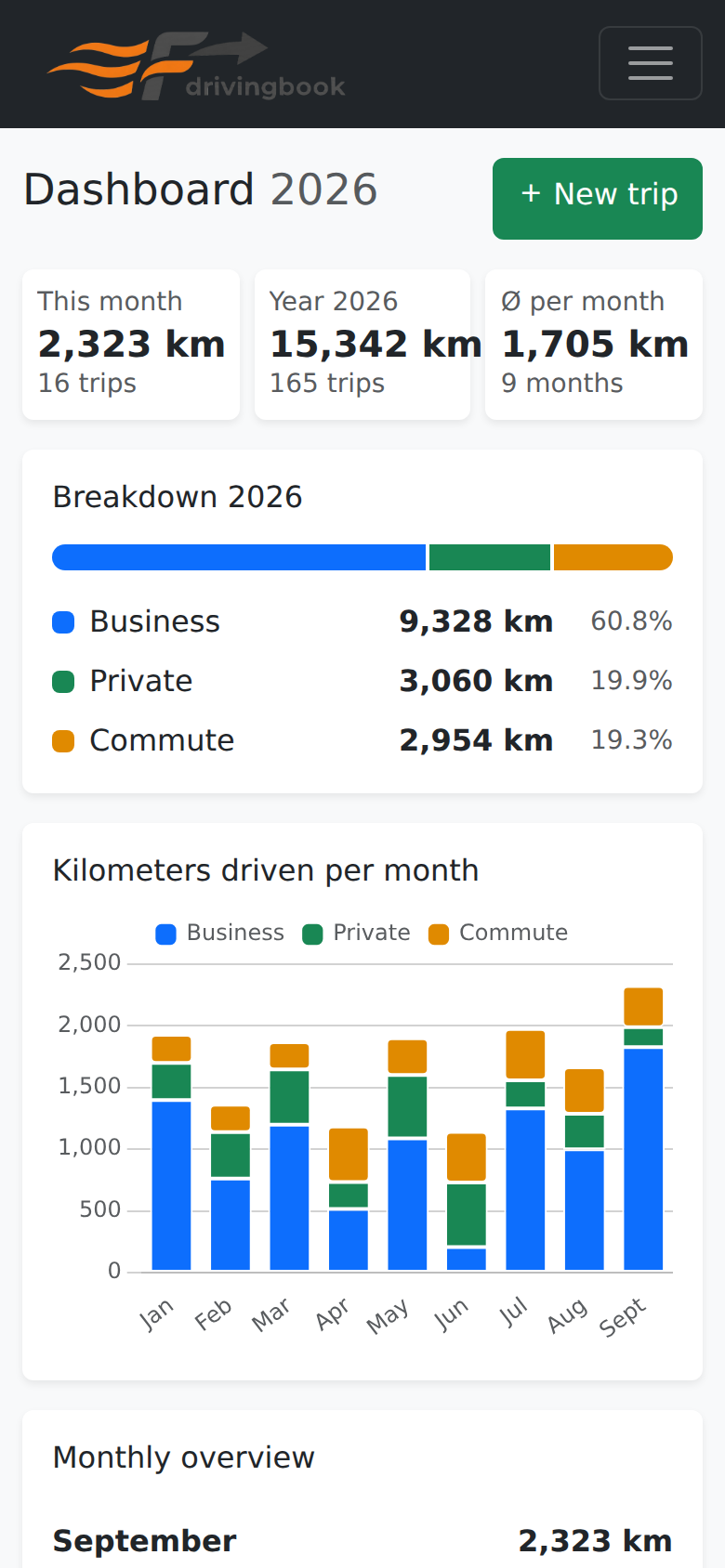
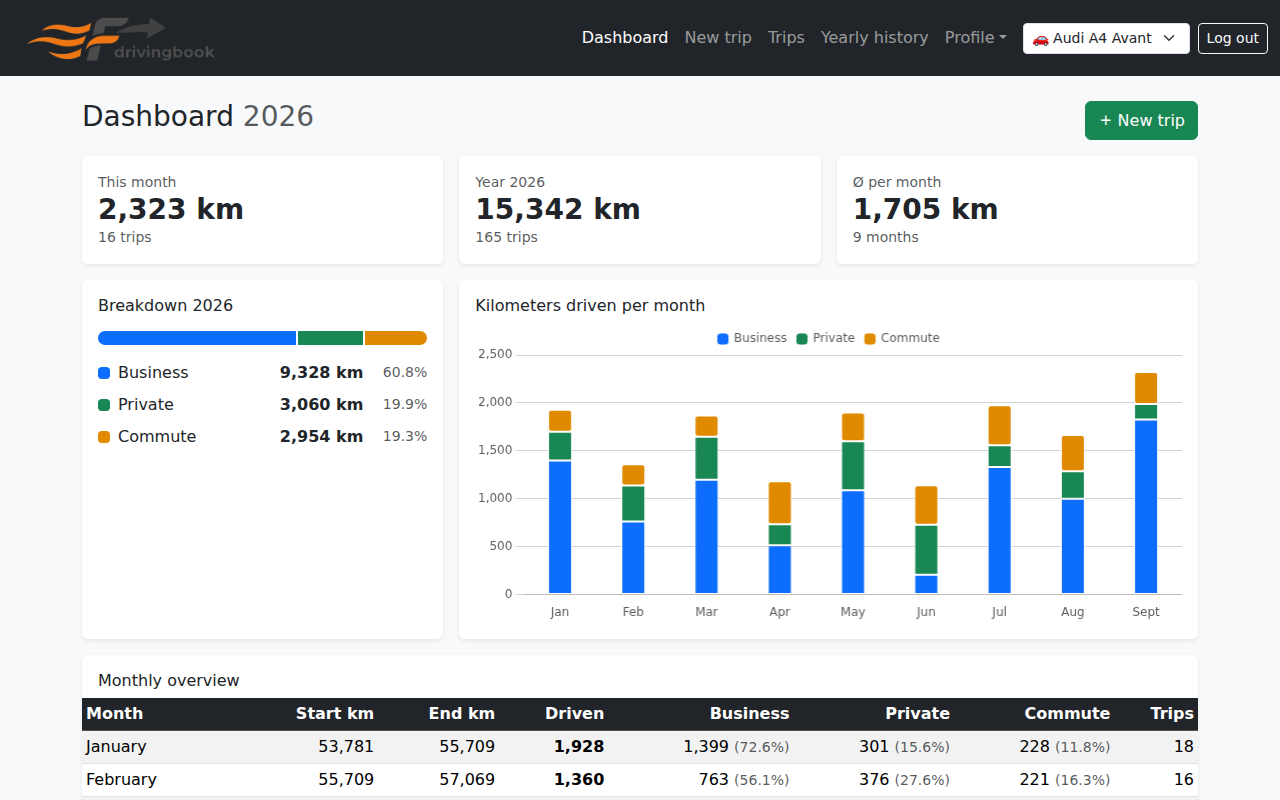
Dashboard with key figures, split by trip type and km per month

Features

Everything a logbook for a company car needs, from quick entry on the road to the numbers for your tax return. Available in German and English.

Quick entry

Odometer, destination and trip type, then save. The timestamp is set automatically; the GPS button fills in the current address.

Works offline (PWA)

Installable on the home screen. Trips recorded without a connection are sent as soon as you are back online.

Three trip types

Business, private and commute are counted separately and color-coded in every report.

Multiple vehicles

Switch the active vehicle in the navigation; every page then shows only its trips.

1% rule or logbook?

From list price and annual costs, the vehicle info page works out which method is cheaper, and with your marginal tax rate, roughly how much you save.

Pre-tax check

A traffic light flags odometer decreases, gaps without entries, unusually long trips and coordinates instead of addresses.

Audit log

Every creation, change and deletion is recorded with old and new values, as a proper logbook requires.

Export & backup

CSV and PDF per year, plus JSON backups of a single vehicle or the whole account. Restoring only adds what is missing and never overwrites.

API & Home Assistant

With an API token, Home Assistant or any other system can log trips automatically, for example from the car's odometer sensor.

German & English

Interface, error messages, PDF and CSV in both languages. More languages only need a translation file.

Light & dark

Follows the system setting automatically and can also be set manually.

Admin tooling

User management, cleanup of duplicate and unassigned trips, daily database backups and a password reset script.

Login protection

JWT login, hashed API tokens and rate-limited login and sign-up. Public sign-up can be disabled.

Screenshots

Taken from the app with demo data (English interface). Click an image to see it at full size.

New trip, built for the phone

The page you open in the car: large fields, three color-coded buttons for the trip type and a full-width save button.

  • The vehicle's last odometer reading is pre-filled as a suggestion.
  • The GPS button looks up the current address via OpenStreetMap.
  • If the reading is lower than the previous trip's, the app asks before saving.
  • No signal? The trip waits in a queue and is sent later.
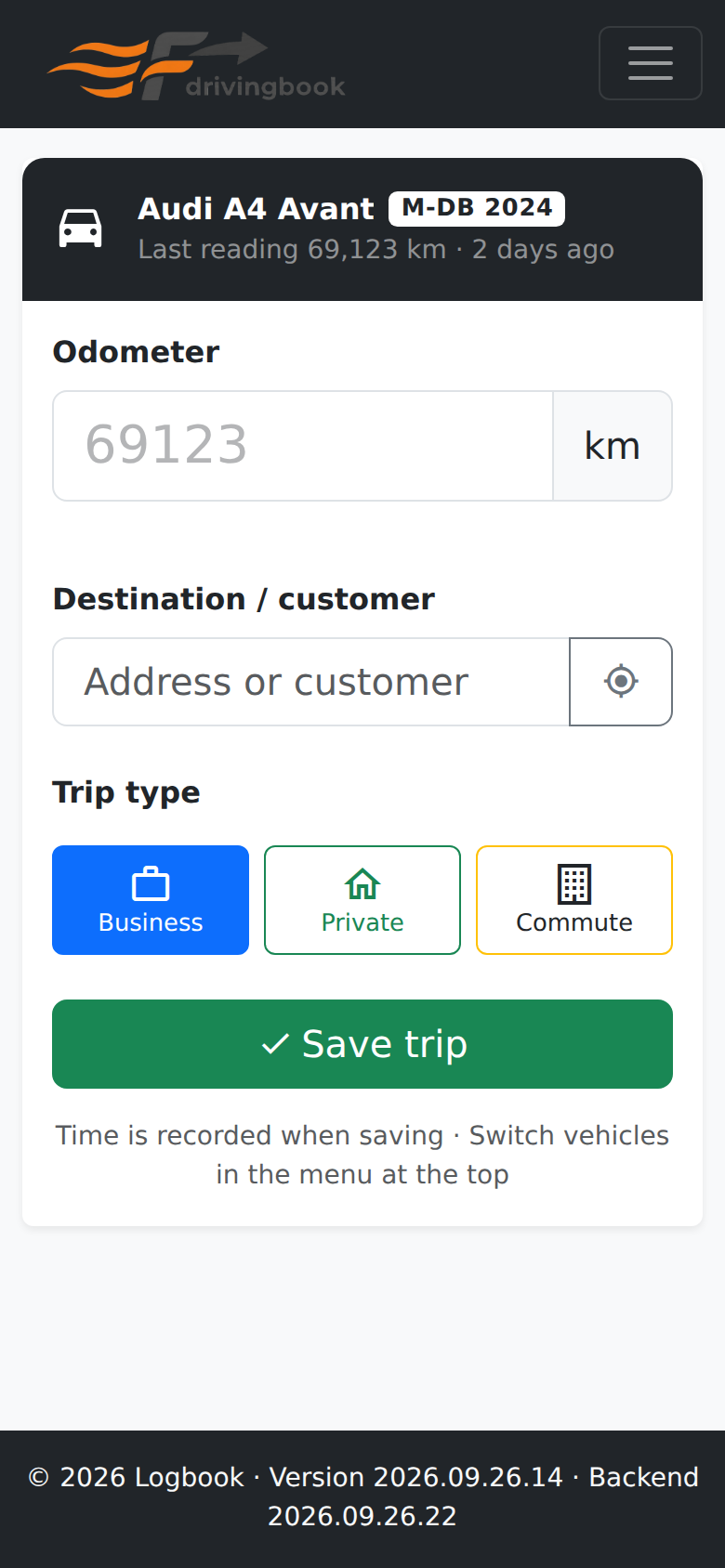
New trip on a phone
New trip
Dashboard on a phone
Dashboard on mobile

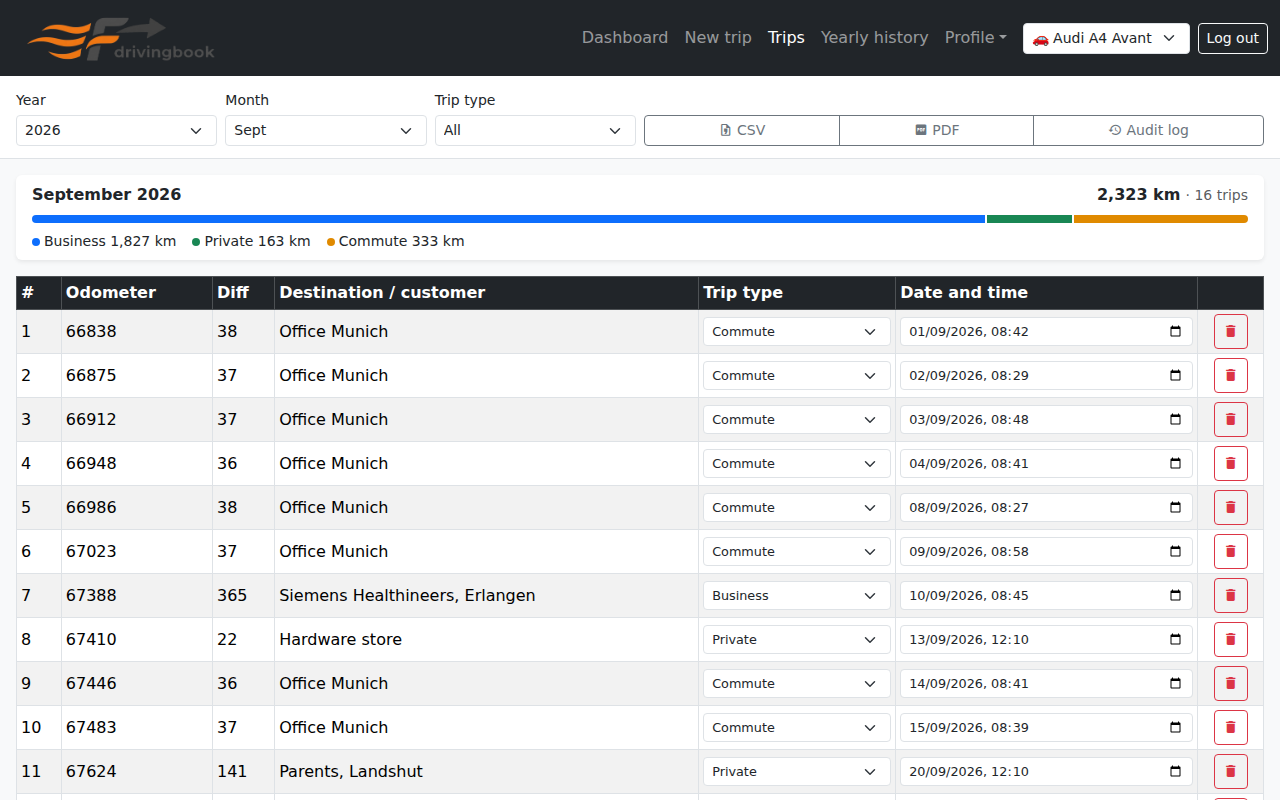
Trip list

All trips of a month, filterable by trip type. Destination, odometer, trip type and time can be edited right in the list; the distance to the previous trip is calculated for you.

  • Yearly export as CSV or PDF.
  • The audit log shows every change and deletion of the year.
  • On a phone, the table turns into cards.
Trips of a month
Trips of a month, editable in place

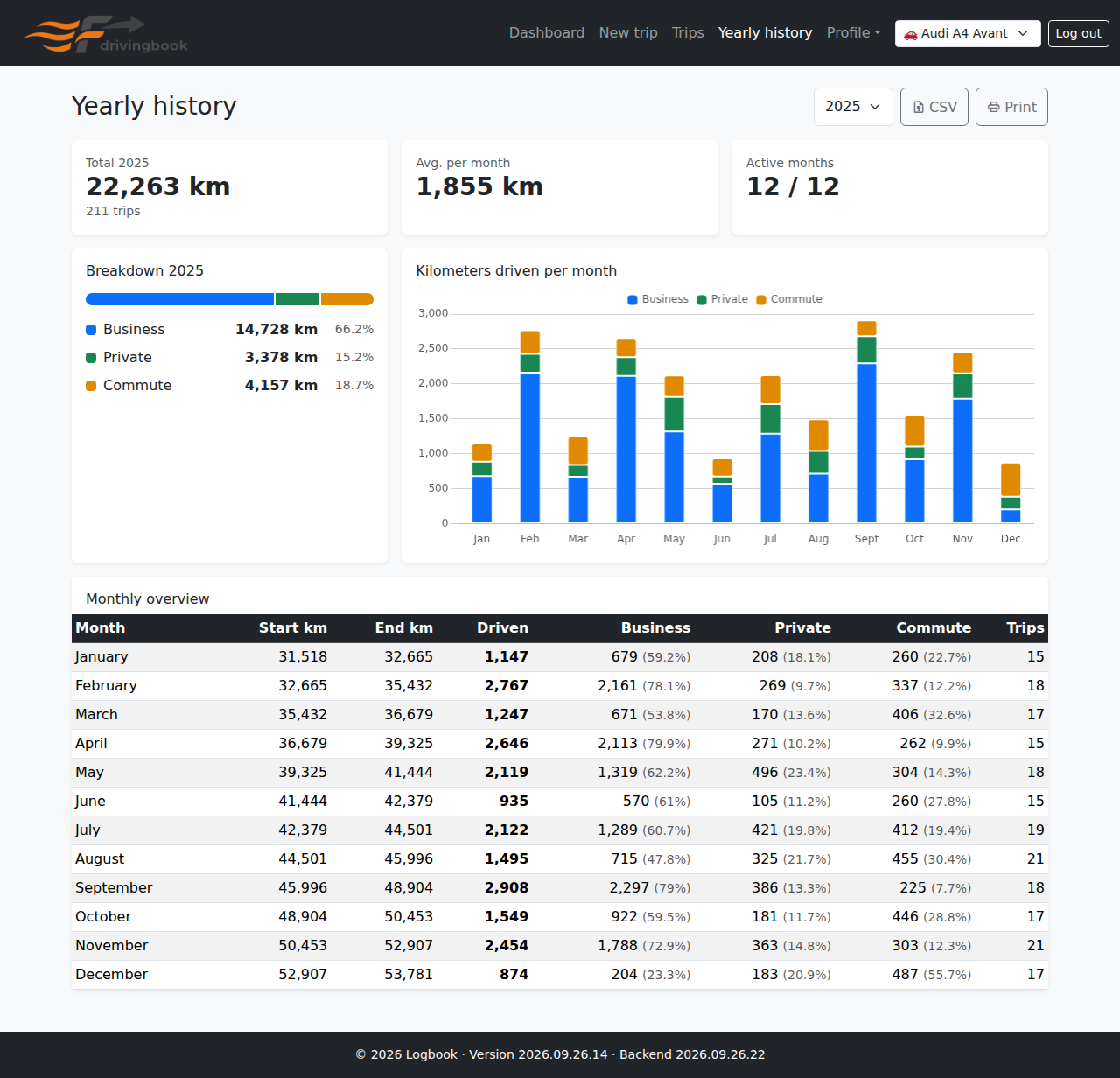
Yearly history

Past years at a glance: total km, split by trip type, a chart per month and a monthly table with shares per trip type. Print-ready, with CSV export right next to it.

Yearly history of the previous year
Yearly history (excerpt)

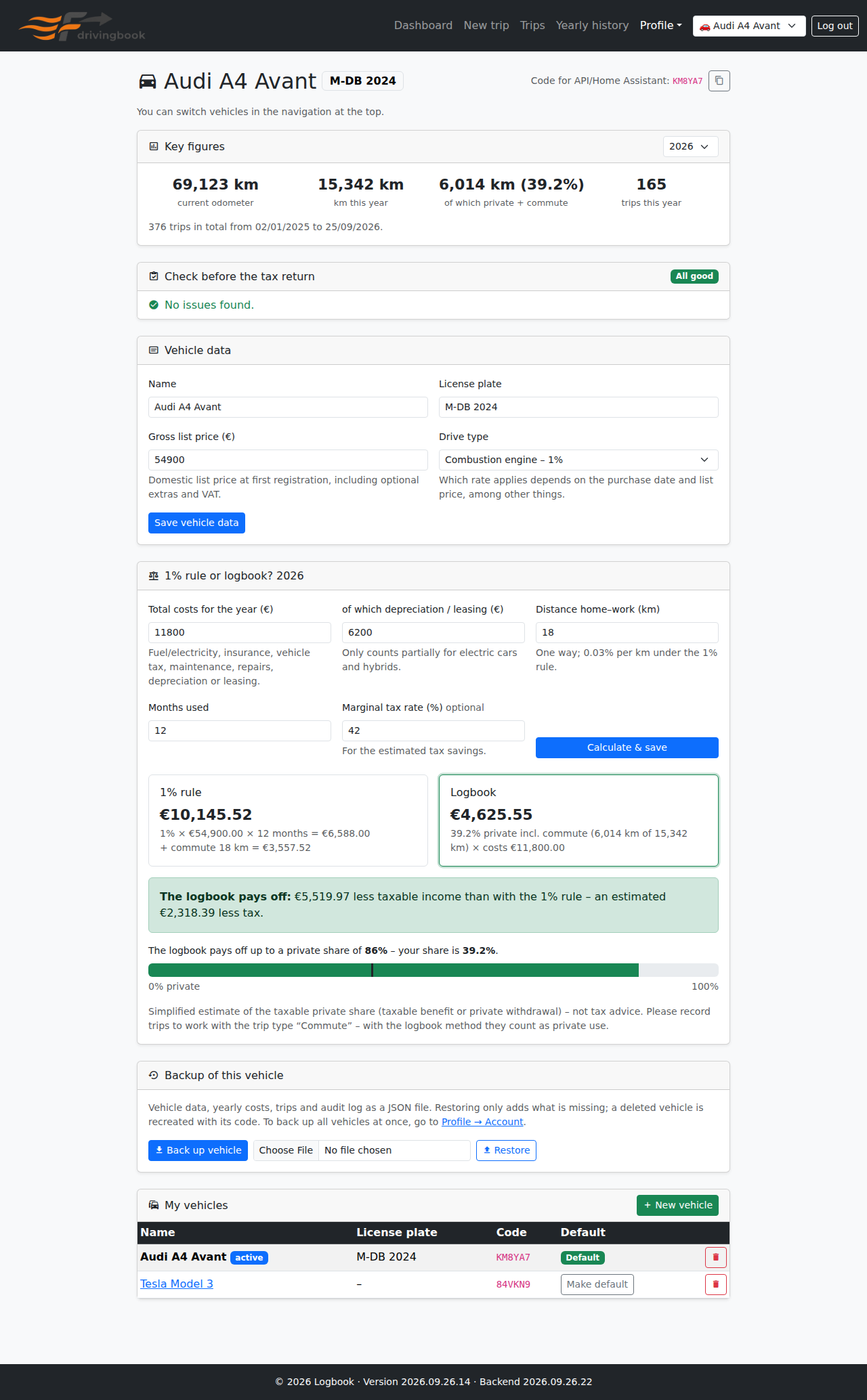
Vehicle info: 1% rule or logbook?

Enter list price, drive type and annual costs per vehicle. drivingbook compares the taxable benefit under the 1% rule (including commute) with the private share from the logbook, and shows up to which private share the logbook pays off.

  • Supports combustion, hybrid and electric cars (0.25% / 0.5%).
  • The pre-tax check shows a traffic light for completeness.
  • Also: vehicle management, the code for API and Home Assistant, and per-vehicle backup.

A simplified estimate, not tax advice.

Vehicle info with key figures, check and tax comparison
Vehicle info (excerpt; click for the full page)

Account & backup

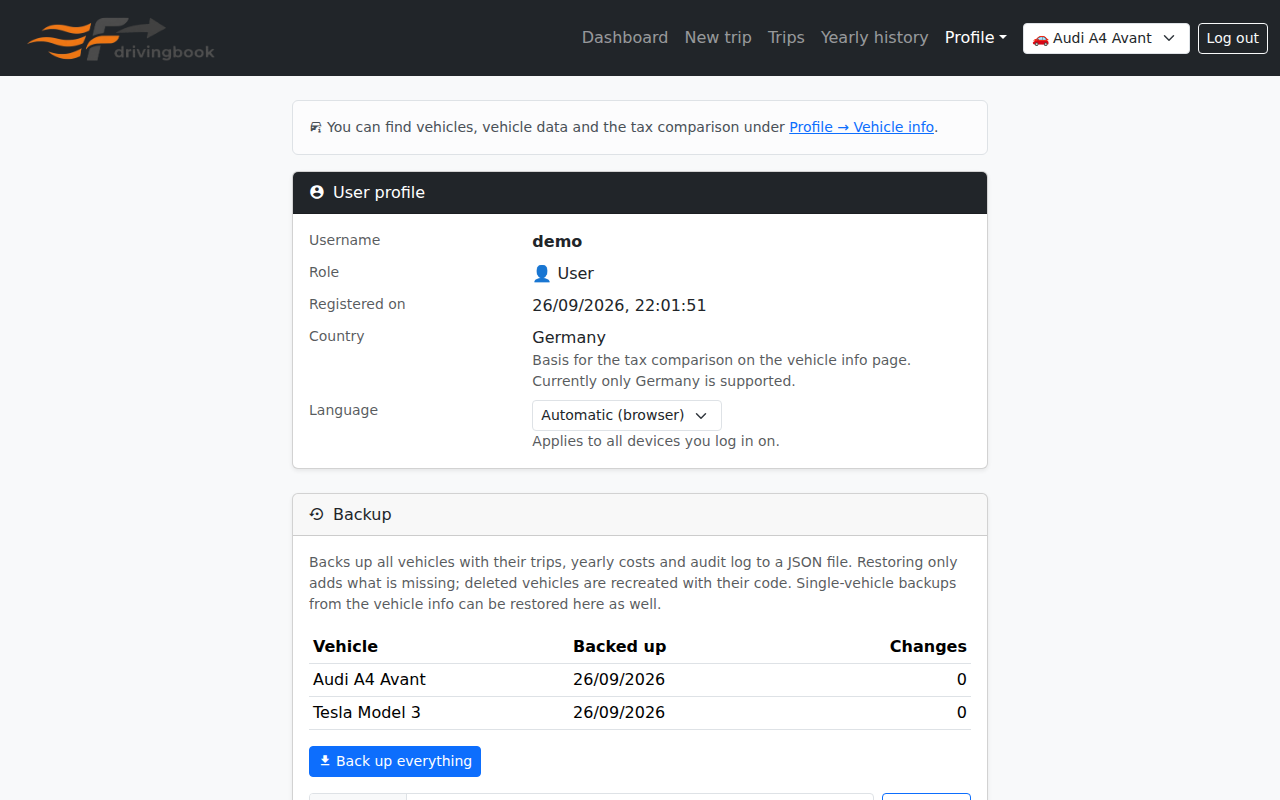
Back up all vehicles with trips, annual costs and audit log into one JSON file. The table shows when each vehicle was last backed up and how many changes happened since.

  • Restoring only adds what is missing; existing data stays untouched.
  • A deleted vehicle is recreated with its original code.
  • Password and API tokens are managed here too.
Account page with backup
Account with backup status

Dark mode

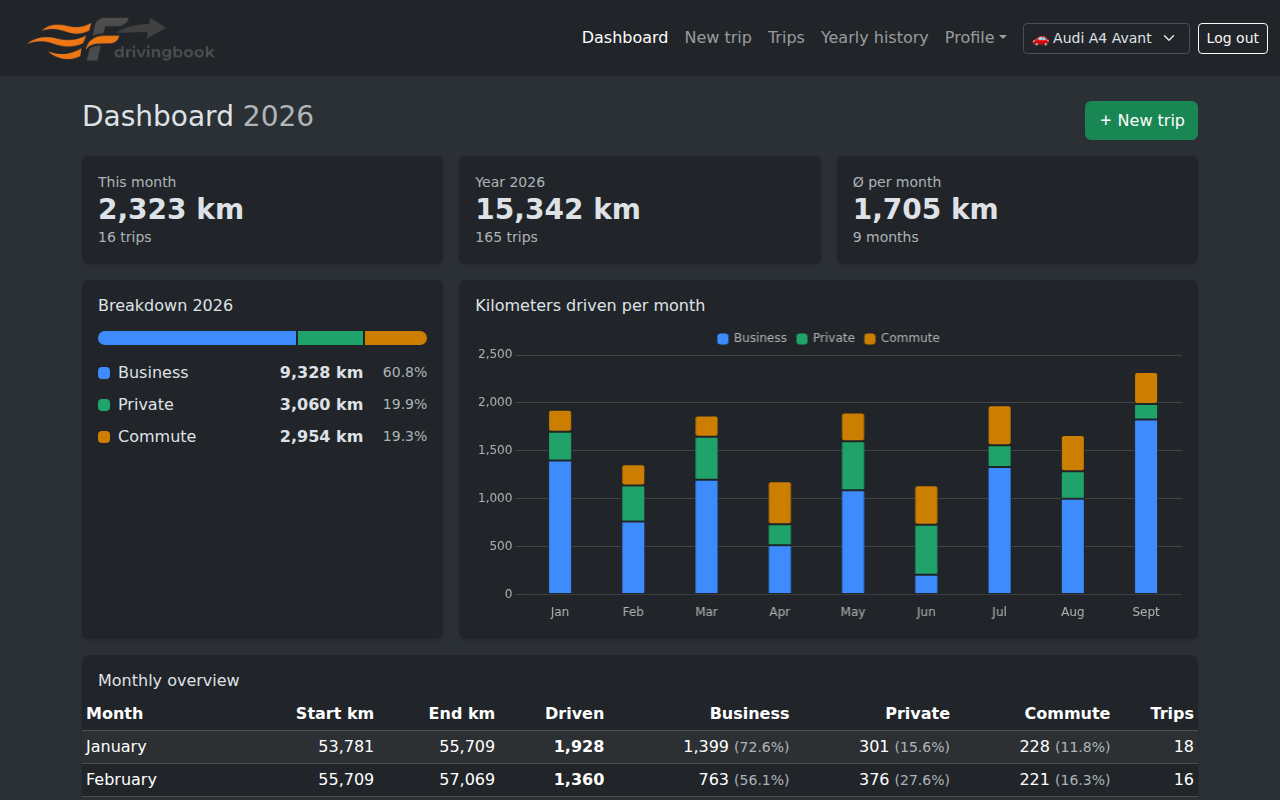
Switches automatically with the system setting, even while the app is open. Colors and charts are tuned for both modes; printing is always light.

Dashboard in dark mode

Home Assistant & API

Create an API token under Profil → Konto. With it, any system can log trips, for example Home Assistant when you park the car.

How it works

Without vehicle_code, the trip goes to the default vehicle. You find a vehicle's code on its vehicle info page.

If the odometer reading does not fit the neighbouring trips, the API answers 409. Send "force": true to save anyway.

A complete Home Assistant setup (rest_command and automation) is in HA_integration.txt.

Example

# log a trip with an API token
curl -X POST \
  https://logbook.example.com/api/trips \
  -H "Authorization: Bearer <API-TOKEN>" \
  -H "Content-Type: application/json" \
  -d '{
    "odometer_km": 65230,
    "destination": "Customer Ltd.",
    "trip_type": "business",
    "timestamp": "2026-09-26T08:30:00Z",
    "vehicle_code": "4GAQAB"
  }'

# trip_type: business | private | commute

Installation

Three containers: PostgreSQL, the Node.js backend and an nginx frontend. All you need is Docker with Docker Compose.

Quick start

  1. Clone the repository
    git clone https://github.com/fabian-born/drivingbook.git
    cd drivingbook
  2. Create the configuration. Set at least a strong DB_PASSWORD and a JWT_SECRET of 32 characters or more.
    cp .env.example .env
    node -e "console.log(require('crypto').randomBytes(32).toString('hex'))"
  3. Start
    docker compose up -d --build
    The frontend runs on http://localhost (port via FRONTEND_PORT). The backend creates the database schema and the admin user on first start.

Good to know

Without ADMIN_PASSWORD, a random password is generated on first start and printed once to the log (docker compose logs backend).

ALLOW_REGISTRATION=false disables public sign-up; the admin then creates users.

An extra container backs up the database daily to backend/data/backups (retention via BACKUP_KEEP_DAYS).

Forgot the admin password? docker exec -it fahrtenbuch-backend node scripts/reset-password.js admin

Built with

Node.js 20ExpressPostgreSQL 16zod JWTpdfkitBootstrap 5Chart.js PWAnginxDockerPlaywright

GitHub Actions builds the images after every push, once the backend and browser tests pass.